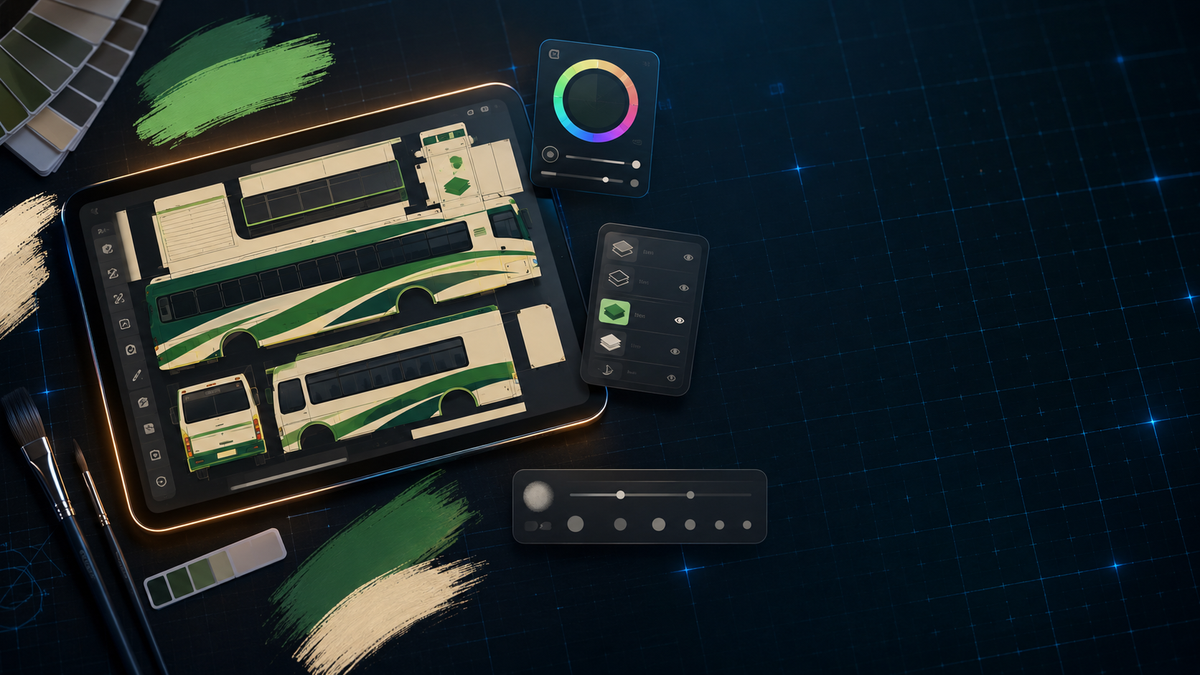
You've downloaded other people's liveries. You've applied them to your favourite bus. But at some point, every BUSSID player thinks: what if I made my own?
Good news - it's not as hard as it looks. You don't need Photoshop. You don't need to know 3D modeling. All you need is a template PNG, a free image editor, and about an hour of your time.
Quick Answer
A BUSSID livery is a flat PNG image that wraps around a 3D bus model in the game. To make your own, you download a blank template for your specific vehicle, edit it in any image editor (even a free mobile app like PicsArt), then import the finished PNG into Bus Simulator Indonesia through the in-game customisation menu.
What Is a Livery Template?
A livery template is a flat, unwrapped version of a bus or vehicle's surface - think of it like peeling the skin off a 3D model and laying it flat. Every panel of the bus (sides, front, rear, roof) is mapped onto specific areas of this flat image.
When you paint on the template, the game engine wraps it back onto the 3D model. So if you paint a stripe on the right spot of the template, it shows up as a stripe along the side of the bus in-game.
The catch is that every vehicle has its own unique template. A template for a Force Traveller won't work on a Volvo, and vice versa. You need the correct template for the specific mod or stock bus you want to customise.
Step 1: Get the Right Template
This is the most important step. Without the correct template, nothing lines up.
For HariVids vehicle mods, templates are available for free:
- Force Traveller Template - for the 17-Seated Force Traveller mods
- Raw Volvo Template - for the Volvo 9400 B11R bus mod
- Modified Omni Livery Template - for the Modified Omni mod
These templates are blank or minimal - a clean canvas for you to design on. Download the template PNG to your phone or PC.
For stock BUSSID buses, the game itself lets you access the default template through the customisation menu, or you can find community-shared templates through modding sites and apps.
Step 2: Design Your Livery
Now the creative part. Open your template in an image editor.
On mobile (free options):
- PicsArt - the most popular choice in the BUSSID community. It handles layers, text, brushes, stickers, and colour adjustments.
- ibisPaint X - another strong free option with more precise brush control.
- Pixlr - browser-based, works on any device.
On PC (free options):
- GIMP - free, powerful, and handles layers/transparency well.
- Photopea - browser-based Photoshop alternative, no installation needed.
- paint.net - lightweight and easy for beginners.
Here's what to actually do:
- Open the template PNG in your editor.
- Create a new layer on top of the template. Always work on a separate layer so you can undo mistakes without destroying the base.
- Plan your design. Decide on colours, patterns, and any text or logos you want. Look at real Indian bus liveries for inspiration - KSRTC green-and-cream, private operator colour schemes, Kerala tourist bus designs.
- Paint. Use the brush, shape, and text tools to build your design. Keep the template layer visible underneath so you can see where each panel maps to.
- Save as PNG. Make sure you export at the same resolution as the original template. Don't resize or crop - the pixel dimensions must match exactly, or the livery won't align in-game.
Step 3: Import Into BUSSID
Once your livery PNG is saved:
- Open Bus Simulator Indonesia.
- Go to Garage and select the vehicle your livery is designed for.
- Tap Customisation icon (or Livery, depending on the mod).
- Choose Import and select your PNG file from your phone's storage.
- The game wraps your design onto the 3D model. Check every angle - drive around in free mode and see how it looks.
If something looks off - a stripe is misaligned, a logo is in the wrong spot - go back to your editor, adjust, re-export, and reimport. It usually takes two or three tries to get everything perfect.
Tips for Better Liveries
Study real buses. The best BUSSID liveries look convincing because they follow real-world design patterns. Look at how Indian bus operators use colour blocking, where they place route names, how window trim is styled. Reference photos make a huge difference.
Keep it clean. Resist the urge to fill every inch of the template. Real buses have large solid-colour areas. Negative space makes your design look professional instead of cluttered.
Use high contrast. The livery will be viewed on a phone screen at various zoom levels. Bold colours and clear shapes read better than subtle gradients or fine details that get lost at distance.
Test at multiple angles. A livery can look great from the side but weird from the front or rear. Check all views in-game before you call it done.
Name your files clearly. When you start building a collection, you'll thank yourself for naming files like "traveller-ksrtc-green-v2.png" instead of "IMG_20260620.png".
What If You Want to Share Your Livery?
If you've made something you're proud of, the community wants to see it. BUSSID modding groups on Telegram and YouTube are active places to share liveries. And if you think your livery is good enough for a wider audience, you can always reach out about featuring it.
You can also browse liveries on HariVids' mods page - there are Traveller liveries, Volvo liveries, KSRTC liveries, and Modified Omni liveries to get inspired by or use as reference for your own designs.
FAQ
Do I need Photoshop to make BUSSID liveries?
No. Free apps like PicsArt (mobile) or GIMP and Photopea (PC) are more than enough. Most BUSSID livery creators use mobile apps since the game itself is on mobile.
Can I use the same template for different vehicle mods?
No. Each vehicle mod has its own UV layout, so a template designed for one vehicle won't line up correctly on another. Always use the template that matches your specific mod.
Where can I find free livery templates for HariVids mods?
HariVids offers free templates for several vehicle mods including the Force Traveller Template, Raw Volvo Template, and Modified Omni Livery Template.
What resolution should my livery PNG be?
Always match the exact resolution of the original template file. Don't resize, crop, or change the aspect ratio. The game needs the pixel dimensions to match the UV map precisely.
More Posts
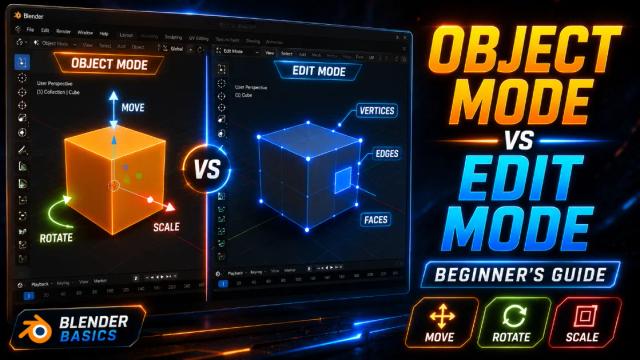
Learn the Blender Interface: Understanding Object Mode and Edit Mode
Learn the difference between Object Mode and Edit Mode in Blender and understand when to use each one while creating 3D models.
The Complete Blender Learning Roadmap for Beginners in 2026
A complete step-by-step Blender roadmap for beginners, from your first model to creating game-ready assets and animations.
What Is Lowpoly 3D Modeling and Why Indian Game Creators Should Care
Lowpoly 3D modeling is lightweight, game-ready, and perfect for Indian creators. Here's what it is, why it matters, and how to start.